
How to Make Patent Drawings: A Filing Guide
A practical sequence for a first US utility filing: choose the figures, draw one step per box, keep the numerals in step with the description, and measure the exported sheet before you file.
By Zane · Published · Updated
Quick answer
Decide which figures your description needs, draw each step or module as one box tied to a sentence, and number every part the way your specification already numbers it. A software or method claim usually needs a flowchart, a system claim usually needs a block diagram, and many applications use both. Check the numerals in both directions before you file — 37 CFR 1.84(p)(5) requires the drawing and the description to list the same reference characters — and measure the printed sheet against the sheet rules.
Your situation, and which method fits
The first decision is not which tool to open; it is which kind of figure the description actually supports. Use the row that matches your claims, then read the six steps that follow.
| Your situation | Use | Why |
|---|---|---|
| Software or method claims, with steps described in prose | A flowchart | A flowchart shows order: one box per step, arrows for sequence and a decision with both exits labeled where the text has a condition. 37 CFR 1.84(h) asks for as many views as necessary to show the invention. |
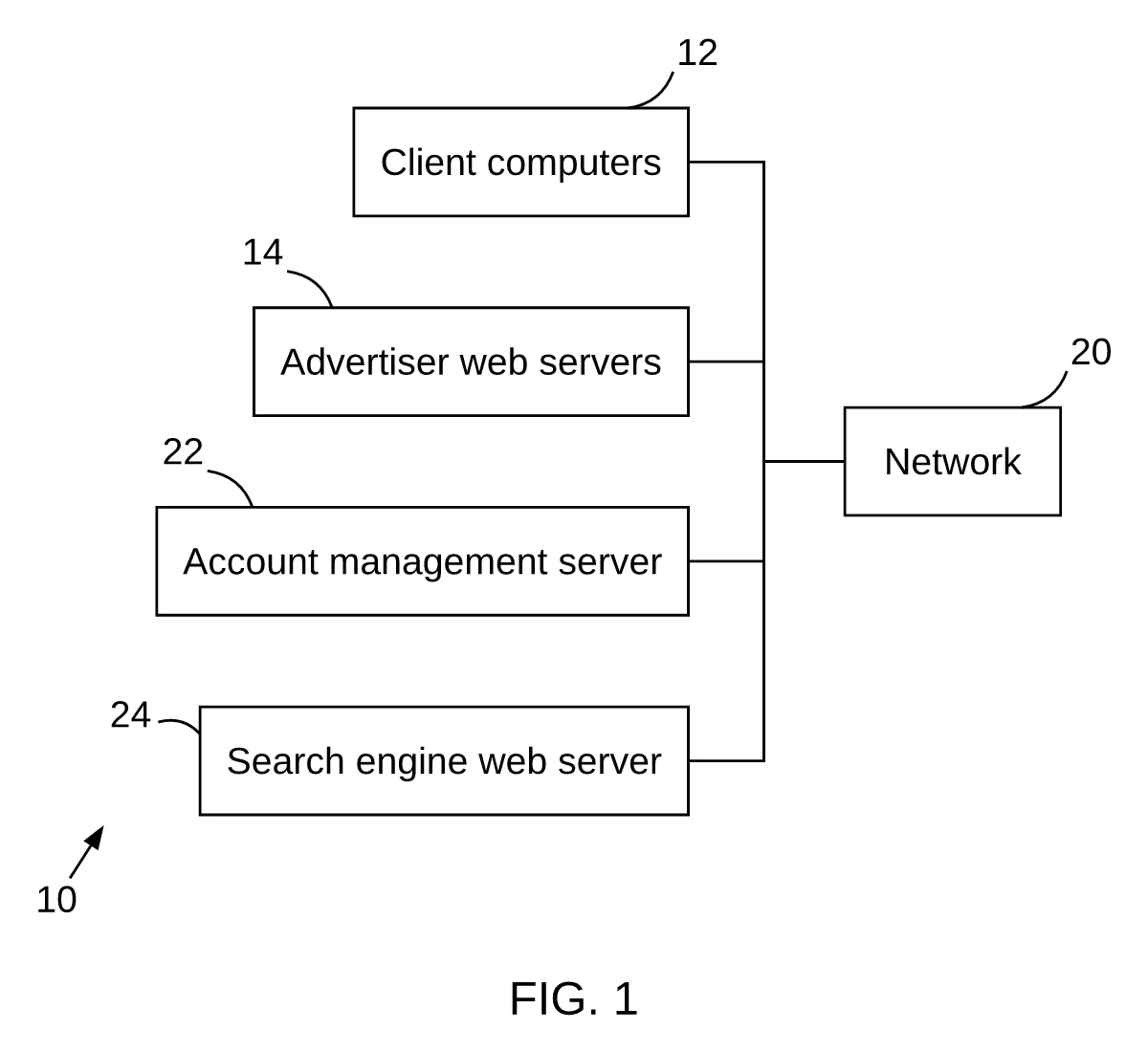
| System or apparatus claims, with named parts or modules | A block diagram | A block diagram shows what the parts are and how they connect. Named modules become boxes, with the numeral outside the box on a lead line so the structure stays readable. |
| Mechanical, structural, electrical or design (ornamental) drawings | A patent draftsperson or CAD | These figures need part geometry, section views and shading conventions that a text-to-diagram tool cannot produce. PatentQuill does not draw them. |
| You already have a hand-drawn sketch | Scan, clean and check it | Hand work is allowed if the finished sheet meets the rules: black solid lines on white, lettering at or above the minimum height, no color, and no solid black blocks (1.84(m)). Scan it, clean the line art, add the labels and check the page. |
1. Decide which figures you need
Start from the description, not from the drawing program. 37 CFR 1.84(h) requires as many views as necessary to show the invention, grouped together and clearly separated. A common split is FIG. 1 for the system and FIG. 2 for the method, but the description decides: read the method paragraphs to build the flowchart, and the apparatus or system paragraphs to build the block diagram. One view should also be suitable for the front page of the publication (1.84(j)).
- Method or process claims: a flowchart of the steps in the order the description gives them.
- System or apparatus claims: a block diagram of the parts the description names and the connections between them.
- Both: two figures, with the same numeral for the same part in each.
2. Put one step in each box
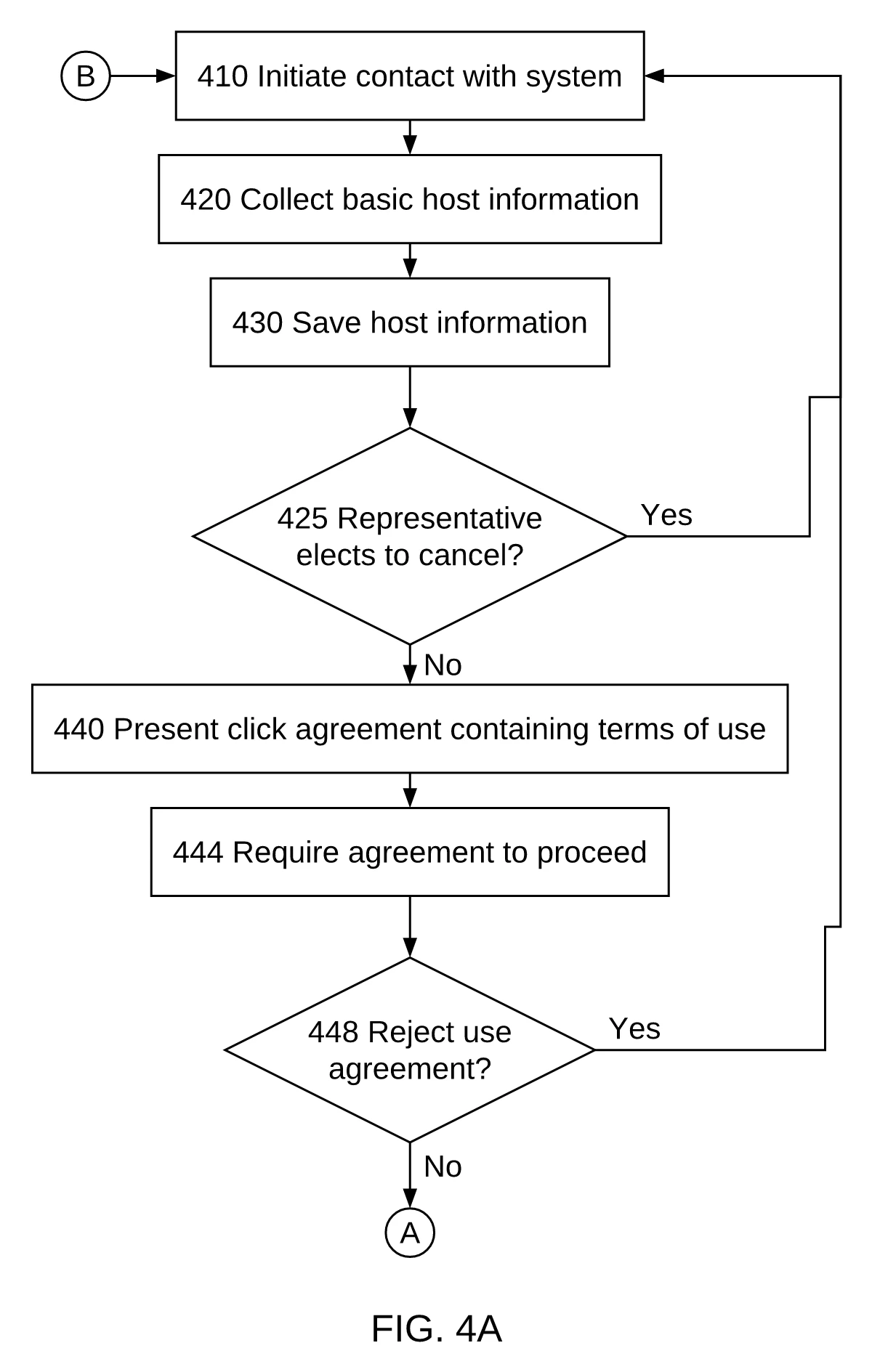
Read the method paragraph one sentence at a time. Each distinct action gets its own box and one arrow to the next. Keep the wording close to the description, and do not merge two actions into one box or add a step the text does not support. If a condition has two outcomes, draw a decision and label both exits. A box with no supporting sentence should be deleted.
This is layout convention, not rule text: 1.84 does not prescribe flowchart boxes or arrows. The convention is what keeps the figure readable and lets you trace every box back to a sentence.
3. Number the figure the way the description does
1.84(p)(4) requires the same part to carry the same reference character wherever it appears, and one character must never name two different parts. 1.84(p)(5) runs in both directions: a character the description does not mention must not appear on the drawing, and every character the description mentions must appear. Do the cross-check both ways before export; the reference characters section sets out the clause.
Number the views as well: consecutive FIG. 1, FIG. 2 and so on under 1.84(u). Where an application has only one view, it is not numbered and the abbreviation “FIG.” must not appear. Figure labels and sheet numbers are different sequences, so do not let one stand in for the other.
4. Lay out the sheet before you draw
Set the page to the rule first: one sheet size for the whole set, the top and left margins clear, lettering above the minimum and black solid lines. The measured values are on the USPTO drawing requirements page, taken from 1.84(f), (g), (p)(3) and (l); they are not repeated here so there is one place to check them. In short: US Letter or A4 for every sheet, margins of at least 2.5 cm top and left, 1.5 cm right and 1.0 cm bottom, and lettering at least 0.32 cm tall. The drawings are also reduced in reproduction, so make sure lines and letters stay legible at that smaller size (1.84(k)).
Keep the figure inside the usable area and leave room for the “FIG.” label and the sheet number. Judge the result on the exported page at print scale: a zoomed editor view hides small lettering and lines that are too light to reproduce.
5. Check the exported sheet before filing
Export the sheet, then check the file you will upload, not the editor. The free patent drawing checker reports margins, text height, black-only lines, FIG. labels, sheet numbers and duplicated numerals on a PDF you already have. It measures the page; it cannot decide whether the figure shows every claimed feature or predict acceptance.
Compare anything the check flags with the rule page, fix the source file and export again. If you correct a submitted sheet, the correction must be durable and permanent (1.84(w)); read literally, a pencil note or a removable sticker is not.
6. Draw the first draft in PatentQuill
Paste a method paragraph into the patent flowchart maker, or a system description into the patent block diagram maker. Each box is tied to the sentence it came from, so you can check the wording and the numeral before you move on. Edit any box, then export a US Letter or A4 sheet. You get 5 free credits (about 1–2 complete drawings) when you sign in with Google, and editing does not use a drawing credit.
Treat the output as a first draft: read every box against the description, confirm the numerals, and run the check in step 5 before you file. The software comparison explains when a draftsperson is the better choice.
What PatentQuill does not do
Mechanical, structural, electrical or design drawings
PatentQuill draws method flowcharts and system block diagrams for US utility applications. It does not draw part geometry, section views, ornamental design or machine components; use a patent draftsperson or CAD for those.
Drawings for other patent offices
The sheet rules discussed here are the USPTO rules in 37 CFR 1.84. PatentQuill does not prepare PCT, EPO, UK or other national formats, and this article does not compare them.
Steps or modules that are not in your text
Every box has to come from a sentence you supplied. If a label cannot be found, the box is flagged so you can fix or remove it. The tool will not invent a step to fill a gap in the description.
A guarantee that the USPTO will accept the sheet
The checks cover measurable points: margins, letter height, black lines, FIG. labels, sheet numbers and numeral consistency. They do not decide whether a figure shows every claimed feature. Acceptance is the Office’s decision.
Legal advice
PatentQuill is a drafting tool, not a law firm. It does not review claims, advise on patentability or replace your attorney.
Rule text: 37 CFR 1.84 — Standards for drawings — Electronic Code of Federal Regulations; and MPEP 608.02 — Drawing — USPTO Manual of Patent Examining Procedure. Checked 2026-11. This article is not legal advice.
Questions
How many figures does a patent application need?
Can I draw the figures by hand?
Do the numbers in the drawing have to match the description exactly?
Can I use a screenshot or a diagram made in another program?
Will PatentQuill make my drawings acceptable to the USPTO?
Bottom line
Choose the figures from your description, keep one step in each box, and make the numerals agree in both directions. Check the exported sheet against the 37 CFR 1.84 checklist before you file.
PatentQuill is a drafting tool, not a law firm, and this article is not legal advice. It explains drafting practice for 37 CFR 1.84 drawings and does not replace the rule text, MPEP 608.02 or advice from your attorney. Confirm every figure against the official sources before you file.